

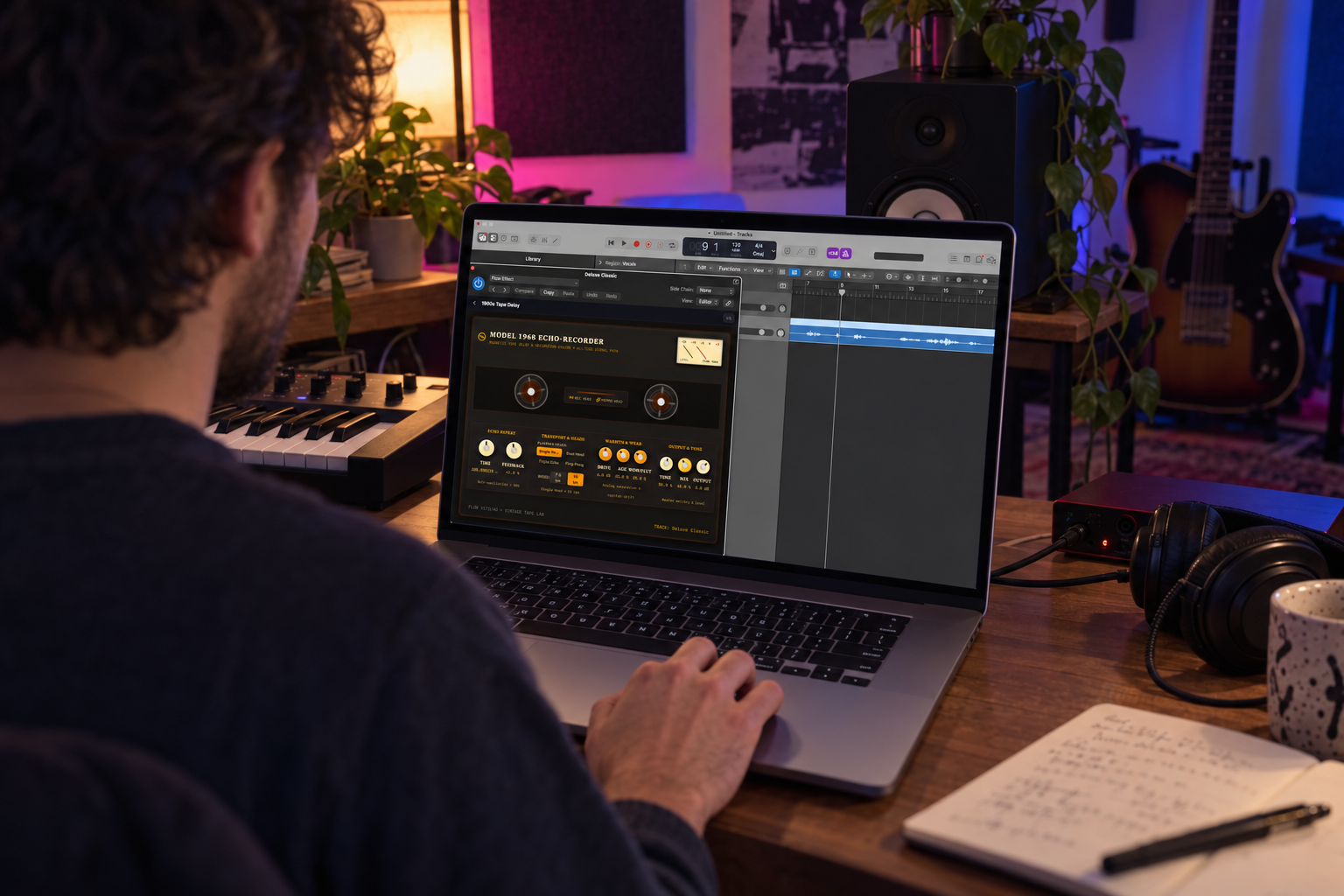
As we shared in our article last week, Google Flow Music has added something that sits well outside the prompt-to-song pipeline: it can design a synth or an effect from a text description, then export it as a plugin for a digital audio workstation. The output is a tool a producer keeps and reuses, not a finished track.
Two limits apply for now: Plugins work on macOS only, and instruments are restricted to standard synthetic audio, so sample-based instruments and anything built on generative AI audio can’t be exported yet.
Per Google’s help documentation, the workflow has four steps.
Step one: ask for a plugin by name.
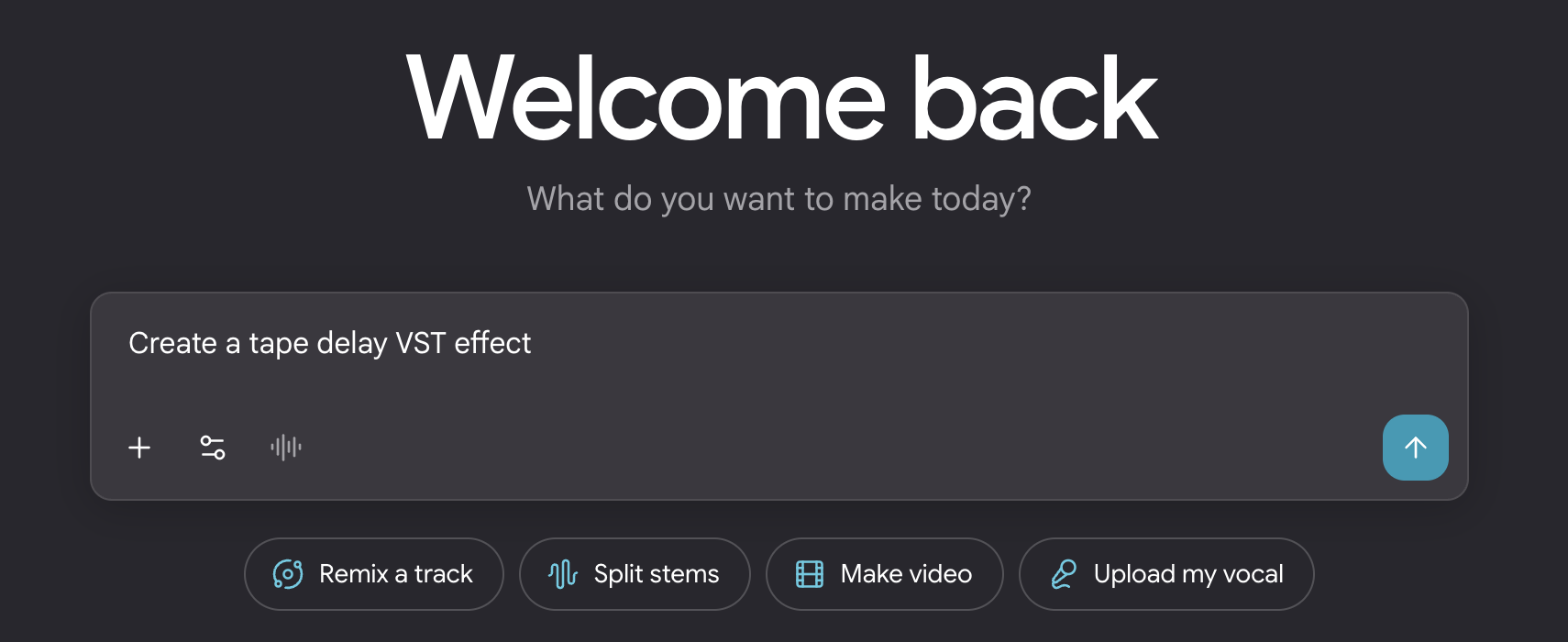
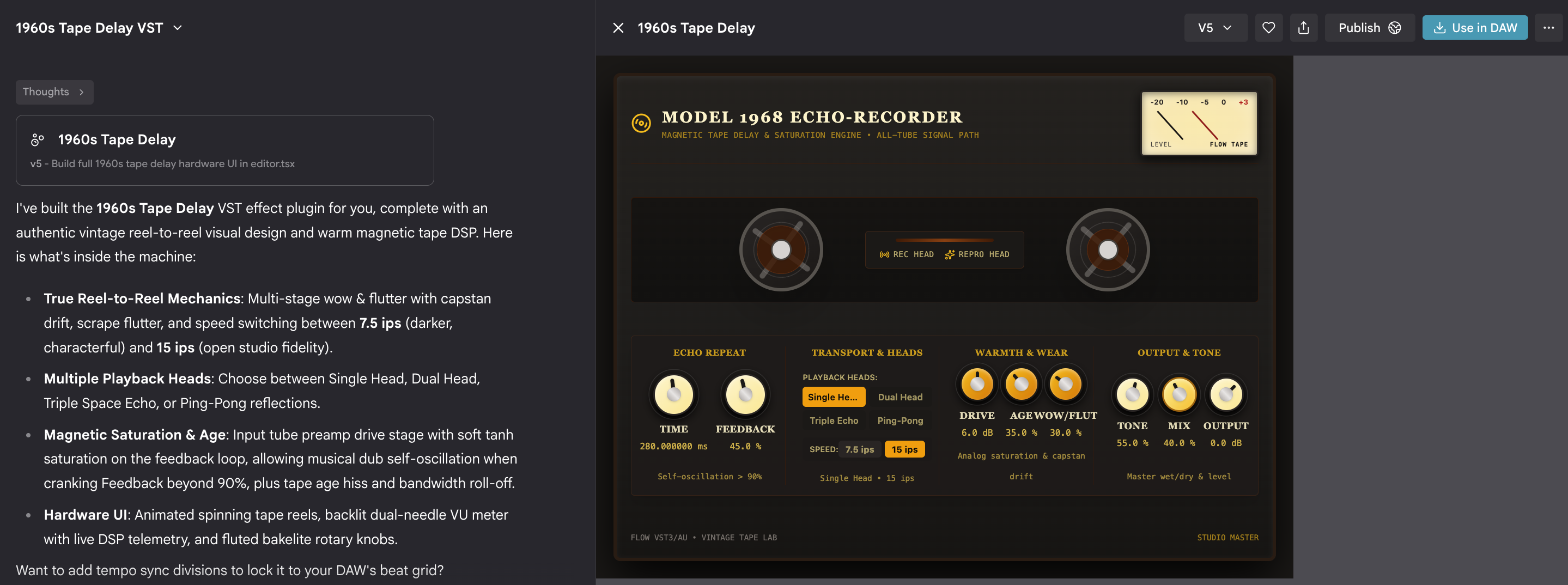
On a Mac, sign in to Flow Music and describe what’s wanted in the prompt box, using the word “plugin” or “VST.” Google’s own examples are “Make a warm analog-style synth plugin” and “Create a tape delay VST effect.” When the result is ready, a Use in DAW button appears in the side panel. If it doesn’t, the fix is to tell the producer to make it a VST plugin, since only instruments and effects built as plugins can run in a DAW.
Step two: install the Flow Music plugin once.
The Download plugin button in the “Use in your DAW” window delivers a .dmg file. Inside, the .component file is dragged onto the Components shortcut and the .vst3 file onto the VST3 shortcut, with a Mac password entered if prompted. This adds exactly two plugins to the DAW, Flow Instrument and Flow Effect, and neither can be renamed. The one-time install is the key to the system. Flow Instrument and Flow Effect are containers, and the actual creations arrive separately.
Step three: find the containers in the DAW.
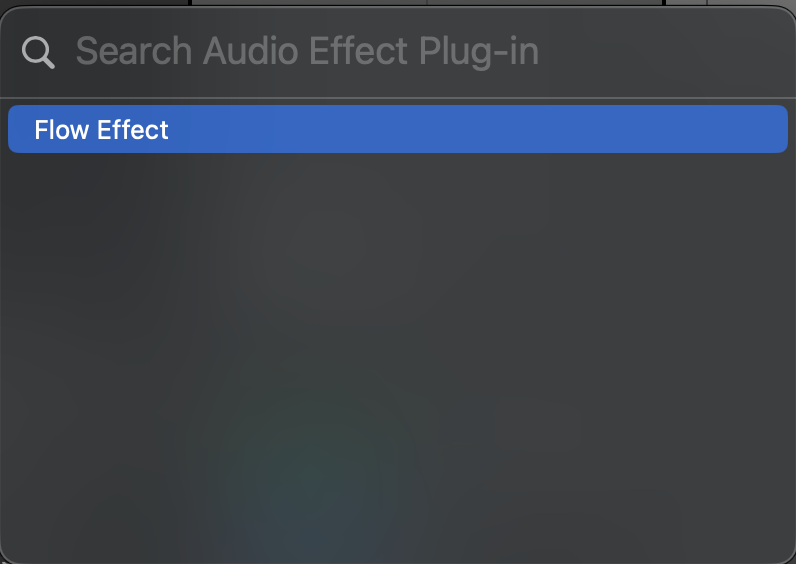
Both appear under the manufacturer name “Google Flow Music.” If they don’t show up, plugin scanning needs to be switched on. In Ableton Live, that means opening Settings, then Plug-Ins, turning on Use Audio Units v2 and Use VST3 Plug-Ins System Folders, and selecting Rescan. Some DAWs need a restart after a rescan. Once visible, either plugin goes on a track like any other.
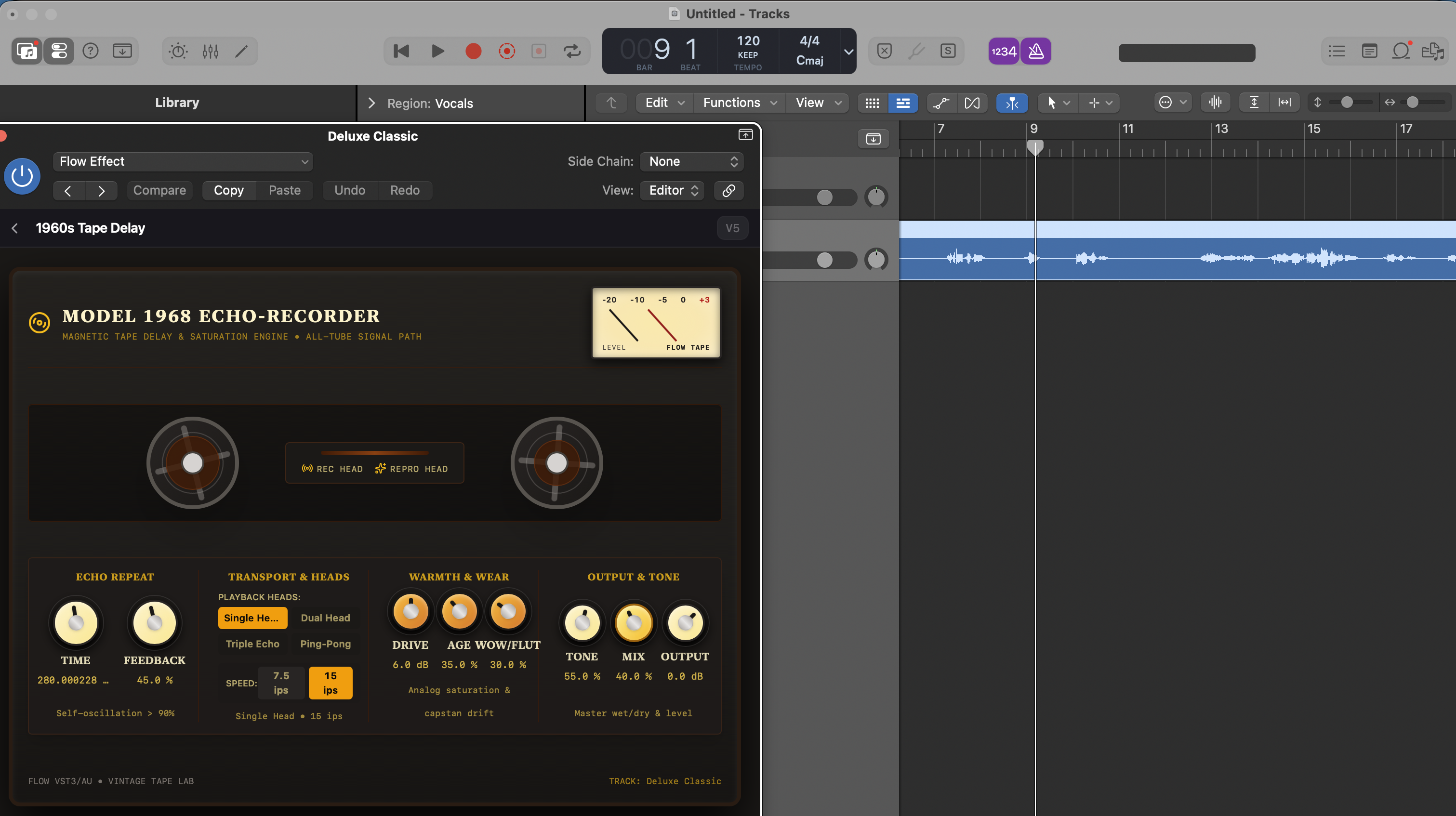
Step four: load the creation.
Back in the “Use in your DAW” window, Download [name] produces an .fmx file. Dragging that file onto the Flow Instrument or Flow Effect window loads the sound or processor. Each new creation means another .fmx file, with no reinstalling required. In practice, the .fmx is the patch and the Flow plugin is the player.
Getting old creations back through Spaces.
Nothing has to be rebuilt when a project returns weeks later. Spaces, in the left-hand menu of Flow Music, holds everything made in the app. Selecting the Plugins filter narrows it to instruments and effects, and the More menu next to any entry offers Use in DAW, which reopens the same download window for a fresh .fmx file. One caveat: the Plugins filter may be missing, which Google says means plugins may not be available for that account yet. The rollout looks staged, so a missing filter is a waiting game, not a mistake.
When something goes wrong.
Two problems are covered in the documentation. If the drag-and-drop shortcuts in the installer don’t work because the destination folders don’t exist, the folders can be created manually at /Library/Audio/Plug-Ins/Components and /Library/Audio/Plug-Ins/VST3.
In Finder, Shift + Command + G opens a path field for getting there quickly. If the DAW lists Flow Instrument or Flow Effect twice, or keeps loading an older version, the likely cause is stray copies in the user-level folders under ~/Library/Audio/Plug-Ins. Deleting every Flow*.vst3 and Flow*.component file from those two user folders, keeping the system-level copies, and rescanning clears it up.
The limits matter as much as the feature. Because exports are restricted to synthetic audio, what comes out of Flow Music is closer to a conventional plugin than to generative audio running inside a DAW. That makes it easier to fit into existing sessions, and it sidesteps the provenance questions that follow AI-generated audio. Whether Google loosens the sample and generative limits, and when Windows support arrives, are the things to watch.
Source: Use Flow Music instruments & effects in your DAW, Google Flow Help