

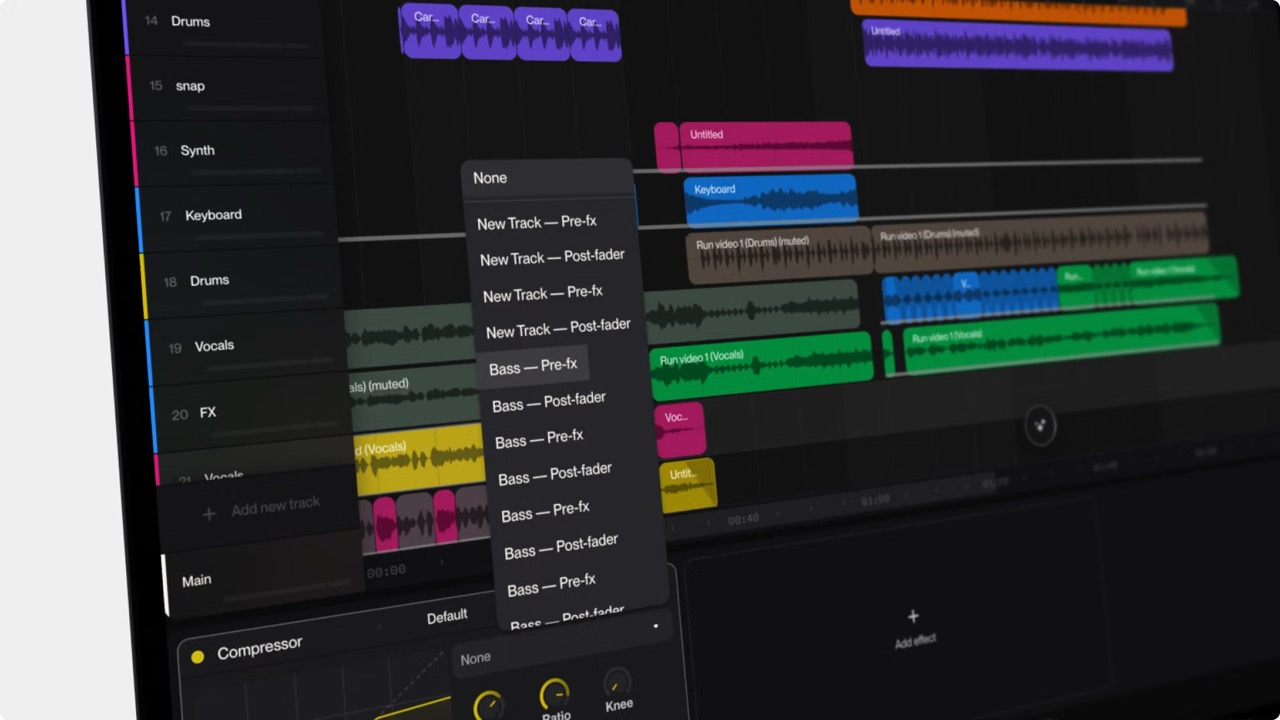
Suno dropped a major update recently with a new blog post detailing how to use sidechaining to level up your tracks. If you’re a Studio Premium subscriber, you get a shiny new interface to handle this. But for the rest of us on the standard tier? Don't worry — we can still hijack this pro mixing trick using nothing but raw prompting power.
I first stumbled across the term "sidechaining" on my weekly AI Factory livestream show during a workshop with David Layman. Intrigued, I dove into the weeds, eventually hardcoding sidechain frameworks into my Promptalizer tool using a prompting methodology introduced to me by David Griffin (aka @FU-Care/D.Griffin), a member of our Discord community.
Here is exactly how sidechaining works, why your music needs it, and how to force Suno V6-Pro to do it for free.
What the Heck is Sidechaining?
In traditional music production, sidechaining is a technique where an effect on one track is triggered and controlled by the audio signal of a completely different track.
Think of it like an automated volume referee. Instead of a compressor reacting to its own volume, it listens to an external trigger — like a heavy kick drum — and temporarily slams the volume of another element (like a bass line or synth pad) out of the way whenever that trigger hits.
Producers use this to achieve two things: pristine mix clarity, or that iconic, rhythmic "ducking" and "pumping" effect found in modern electronic music.
The Anatomy of the Mix
Threshold: Determines how loud the trigger needs to be to start the volume ducking.
Ratio: Determines how deep the volume drop actually is. A high ratio equals a dramatic, heavy pulse.
Attack: Controls how fast the volume drops. A near-instant attack clears immediate space for fast drum hits.
Release: Controls how long it takes for the ducked track to return to normal volume. Match this to your song's tempo to establish a groovy, rhythmic bounce.
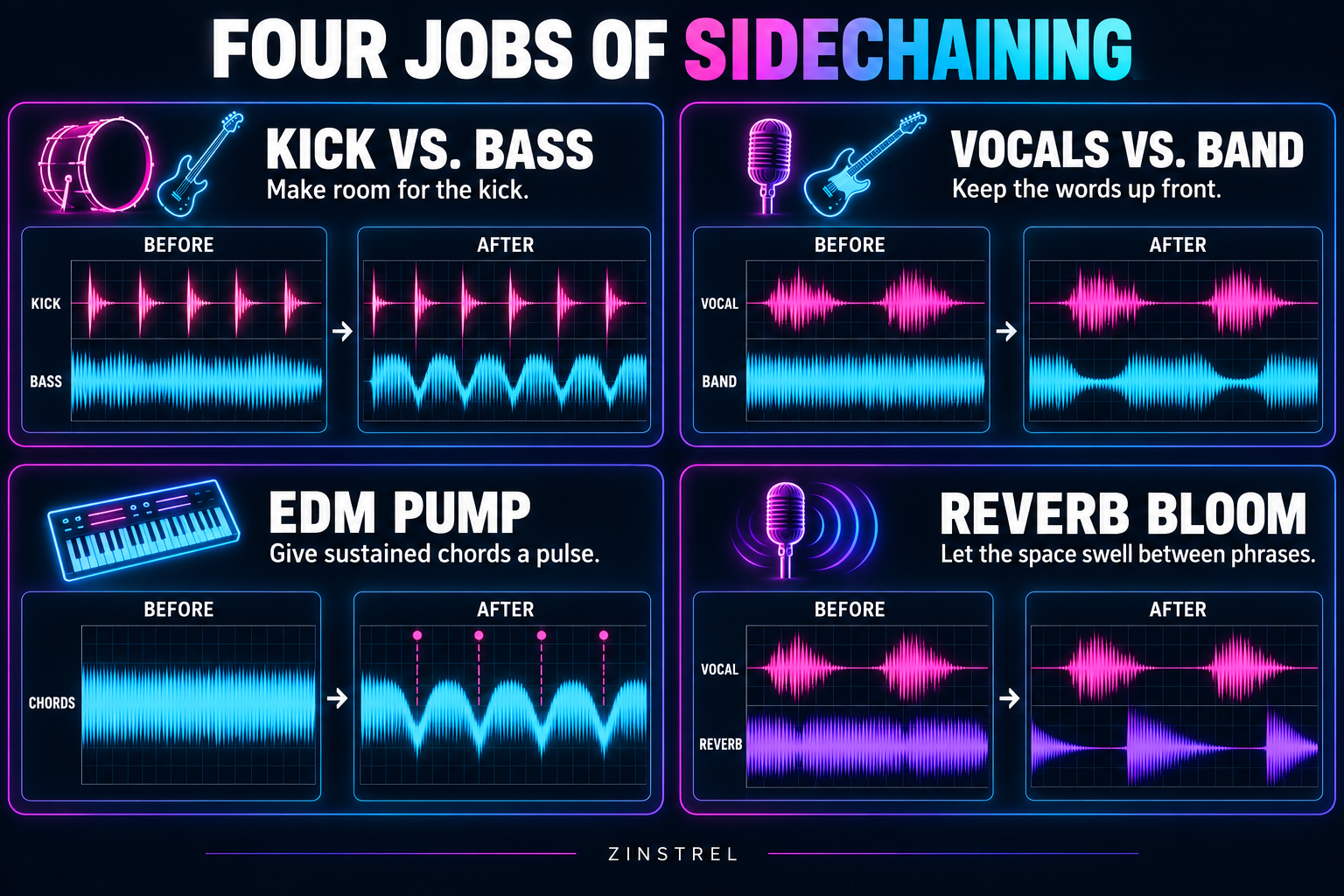
4 Reasons Every Good Mix Uses It
If your AI tracks sound flat or muddy, it’s probably because your instruments are fighting for their lives in the exact same frequency zones. Sidechaining fixes this instantly.
Defeating the Kick & Bass Clash: Kick drums and basslines love to fight over the low-end spectrum, creating a muddy wall of sludge. Ducking the bass slightly every time the kick hits keeps your low-end punchy and clean.
Carving Out Space for Vocals: When a wall of guitars or dense synthesizers is drowning out your lead singer, you trigger a compressor on the instruments using the vocal track. When the vocalist sings, the band steps back. When they pause, the instruments rush forward.
The EDM Groove (The "Pump"): In House, Future Bass, and Synthwave, sidechaining is used as a creative effect rather than a correction tool. Aggressively pumping massive synth chords to the kick drum transforms a static sound into a living, breathing wave.
Taming Wild Reverb Tails: Long reverb and delay tails can quickly wash out a performance. Sidechaining the reverb track to the dry vocal keeps the echoes quiet while the lyrics are being delivered, letting the reverb beautifully "bloom" during the quiet spaces between phrases.
How to Sidechain in Suno Studio (The Official Way)
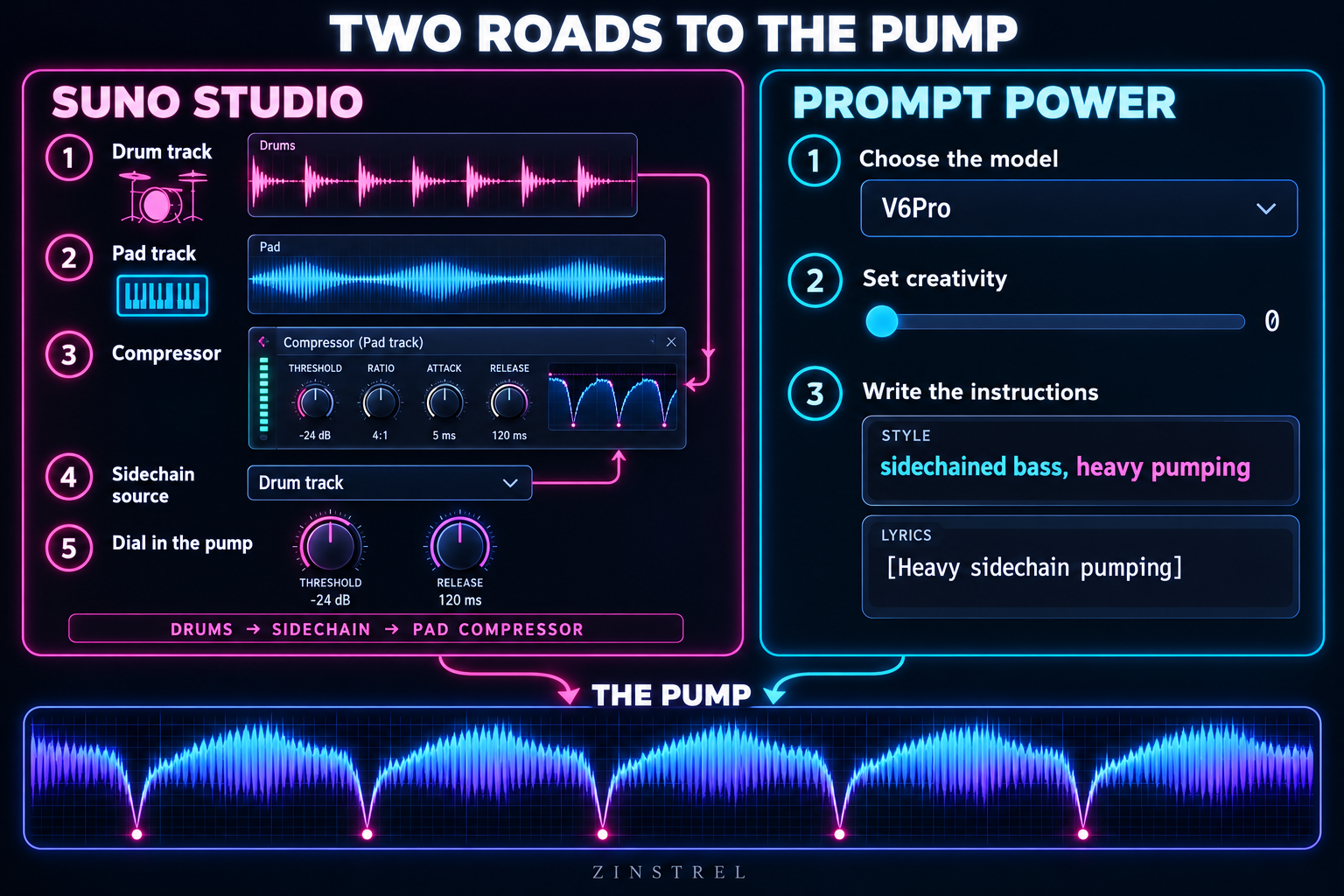
If you have Studio access, sidechaining is built right into Studio’s compressor, and it works the same way it does in Ableton Live, Logic Pro, or Pro Tools. That’s a bigger deal than it sounds. Studio runs in your browser, and Suno says most web-based tools can’t route audio like this. Here’s the basic kick-and-pad setup from Suno’s own primer:
Start with your trigger. Drop in a drum loop with a strong, pronounced kick or downbeat.
Add something to duck. Create a second track with rich, sustained harmonic content. A synth pad or a gospel choir works great.
Key the compressor. Open a compressor on the pad track, and under Sidechain, pick your drum track from the dropdown.
Find the threshold. Pull it down until the kick starts audibly pushing the pad’s volume around.
Dial in the groove. Shape the pump with attack and release, then raise the ratio to make it hit harder. Remember those four controls from the anatomy breakdown above? This is where they live.
Pro tip: Producers often build a “ghost” trigger, a kick track that drives the compressor but is never heard in the final mix. That gets you the pump without an extra drum cluttering things up. You can also stack multiple compressors on one track, each keyed to a different source.
The catch? Studio is a paid feature. If you’re not on a Studio-enabled plan, keep reading.
The 3-Step Formula to Force Suno V6-Pro to Sidechain
Because Suno doesn't give us a literal mixer console with routing cables, you cannot use pure engineering commands like "route track 1 to the aux sidechain of track 2."
Instead, you have to use descriptive producer terminology that describes the final mixdown relationship. For the highest success rate, use this three-layer framework:
Step 1: Set the Baseline Controls
Before typing a single word into your prompt box, adjust these advanced settings so Suno takes your instructions literally:
Model: Select V6Pro (This version is highly optimized for professional mix terminology).
Variety / Creativity Slider: Pull this strictly down to 0. If you leave it higher, Suno’s backend will automatically rewrite your prompt and strip out your precise mixing commands.
Step 2: Inject Mix Vocabulary into the Style Box
Suno V6-Pro responds heavily to sensory cues regarding how instruments interact. Use explicit phrases like "sidechained bass", "heavy pumping effect", and "ducking" right next to your genre tags.
Copy/Paste Style Field Template:
128 BPM, French House, Electronic Dance Music. Four-on-the-floor heavy kick drum. Aggressive sidechain compression on the sub-bass, heavy pumping effect ducking the synths on every beat. Wide stereo image, club mix down.
Step 3: Lock It In with Lyric Bracket Tags
AI models have notoriously short-term memory. To ensure the pumping effect doesn't fade away as the song progresses, re-state the sidechain behavior inside square brackets right at the top of your lyrical sections.
[Verse 1]
[Four-on-the-floor kick, heavy sidechain ducking on bass]
Lost in the neon light,
Moving through the night...

[Chorus]
[Maximum energy, pumping sidechained synth pads, explosive drop]
Feel the rhythm start to lift,
Catch the focus, catch the shift...
There you have it! You don't need a premium studio tier to get pristine, professional separation in your AI tracks—just the right vocabulary.
Go forth, plug these into your prompt workflows, and rock this world!
If you enjoyed this deep dive, consider subscribing to the newsletter for weekly prompt frameworks, AI workflows, and behind-the-scenes breakdowns from the AI Factory.